Right-to-Left (RTL) Support in Mobile Apps
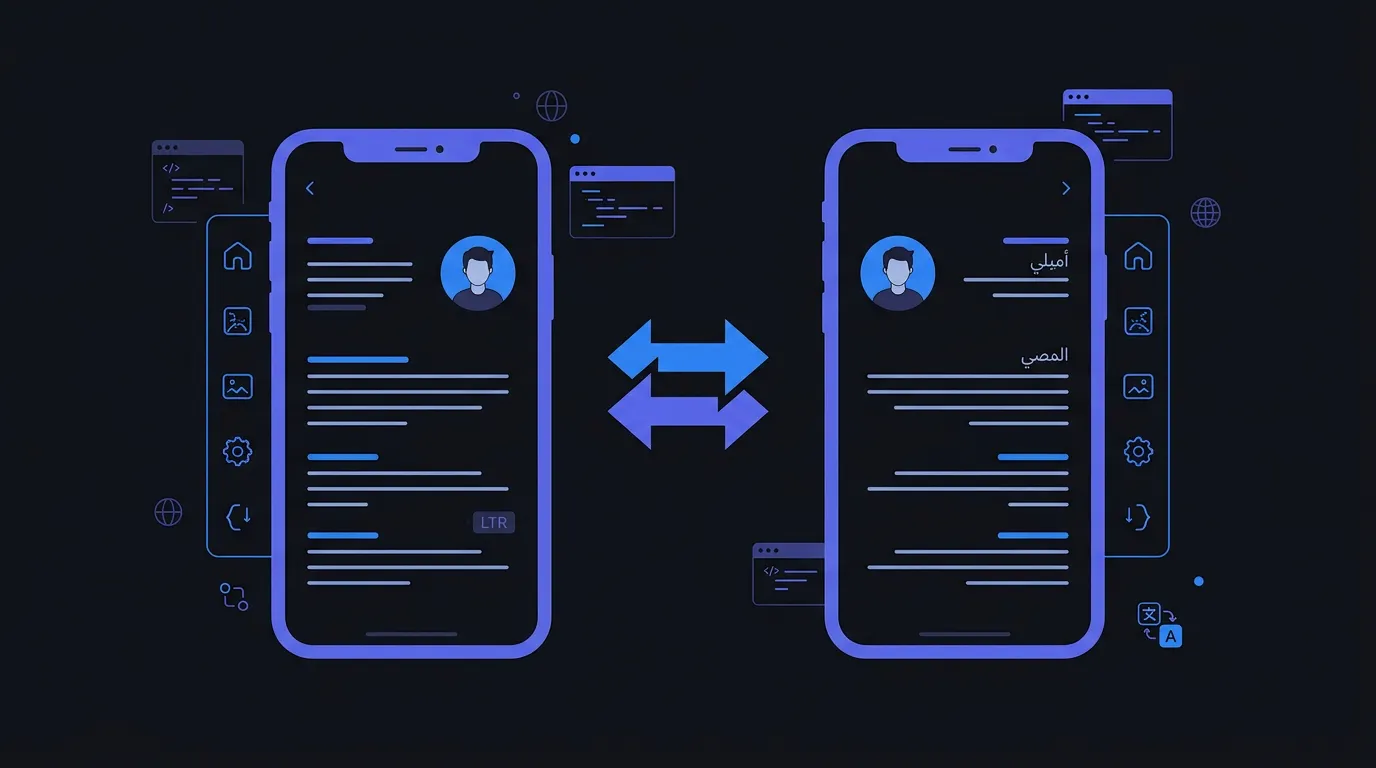
Over 400 million people use right-to-left languages like Arabic, Hebrew, and Persian. RTL support goes beyond flipping the layout. Navigation, text alignment, swipe gestures, and progress bars all mirror. But phone numbers, clocks, and media playback controls stay the same direction. This guide covers RTL implementation across iOS, Android, and Flutter.
What Mirrors vs. What Doesn't
Mirror: navigation arrows, text alignment, progress bars. Don't mirror: phone numbers, clocks, music playback controls, checkmarks.
RTL implementation by platform
iOS
// Use leading/trailing, not left/right
NSLayoutConstraint.activate([
  label.leadingAnchor.constraint(
    equalTo: view.leadingAnchor,
    constant: 16
  )
])
iOS Auto Layout handles RTL automatically with leading/trailing constraints.
Android
<TextView
  android:layout_marginStart="16dp"
  android:textAlignment="viewStart"
  android:layoutDirection="locale"
/>
Android mirrors layouts with android:supportsRtl='true'. Use start/end attributes.
Flutter
Padding(
  padding: EdgeInsetsDirectional.only(
    start: 16.0,
    end: 8.0,
  ),
  child: Text(localizations.title),
)
Flutter's Directionality widget handles layout mirroring. Use EdgeInsetsDirectional.
Testing RTL
Always test with actual Arabic or Hebrew text, not just by forcing the layout direction. Real RTL text reveals truncation and bidirectional string issues.
RTL FAQ
Do I need separate layouts for RTL?
Usually not. If you use correct constraint APIs (leading/trailing, start/end, Directional), layouts mirror automatically.
Should icons flip in RTL mode?
Directional icons (arrows, navigation) should flip. Non-directional icons (search, settings, checkmarks) should not.
Stop managing translation files manually
LocaleKit detects, translates, and syncs all your localization files — iOS, Android, Flutter, and more. Everything runs locally on your machine.
Privacy-first. No cloud required.